September 15, 2026
Thirty years was enough
From WordPerfect’s equation editor to a PDF beside LaTeX in terminal Emacs.
When I was in college, I had a Toshiba 3100SX running DESQview. I ran WordPerfect 5.1 on it and remember the joy of entering formulas in the equation editor: commands at the bottom, graphical text up top. I loved the responsiveness of seeing the math appear as I worked, every time I pressed F9 to redraw.
When I bought a SPARC 1+ for grad school and learned LaTeX, I was delighted. But I missed something: the tight integration of WordPerfect, even as I loved the mathematical expressiveness of LaTeX.
I settled on putting Emacs on one side and xdvi on the other.
Over the years I replaced xdvi with xpdf, but the
workflow was the same: each document started with the manual alignment
of windows. How much screen real estate I conserved depended on the
precision of my mouse work.
And I’ve always been a terminal person. I rejected Windows; I rejected
X11, preferring to work inside screen. Around this I’ve
gradually built a whole coherent workflow. I have a DESQview clone,
GoblinView,
that basically does what tmux does, with
Kitty graphics
and overlapping windows. I even have a WordPerfect clone called
Goblin Purrfect
that captures the exact equation editing I missed, including the default
amber color of my high school Hercules display and college Toshiba,
but with LaTeX and PDF export.
But today I decided 30 years was enough. For 30 years I waited for a side-by-side Emacs/image viewer, and now I have it.
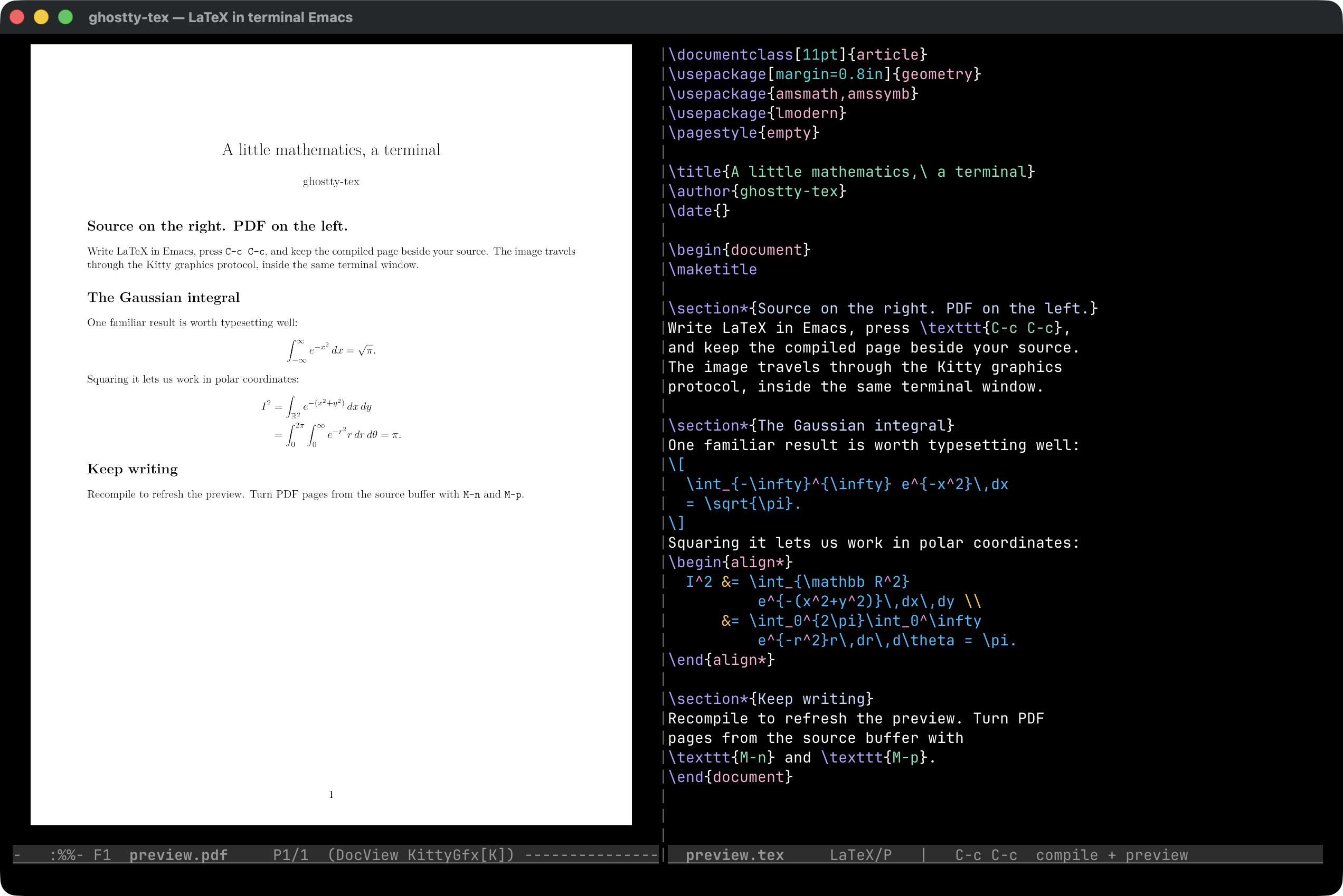
The ghostty-tex project page has the package downloads and setup instructions.