October 6, 2026
An experimental Android terminal
GoblinReactor brings a Linux kernel and ARM64 packages to your phone. This experimental preview includes source and a direct APK download.
I've been building GoblinReactor, a terminal and local development environment for Android. It runs a Linux® kernel with Debian ARM64 packages inside an ordinary Android app. You can install tools with apt, edit files, open several terminals, and run your own services. Everything runs locally; installation requires neither Android root nor a remote server.
This is experimental software. I have prepared preview 0.3.8, which adds Kitty graphics. Use it for experiments, and keep a backup of anything you care about outside the app.
The 0.3.8 Android preview is available now. Google Play registration is waiting on a D-U-N-S number, so for now installation means downloading the APK directly. The paperwork has its own dependency graph.
A development environment that stays on the phone
The useful part is having a persistent place to work. Install an editor, write a script, leave files in your home directory, and come back to them later. Several terminals share the same environment. A physical keyboard helps, and the on-screen controls include Esc, Ctrl, Alt, Tab, and arrow keys. The terminal uses the native kitty renderer.
The default account is goblin, with a home directory at /home/goblin and passwordless sudo inside the guest. Packages, accounts, and files live on an ext4 disk image in Android's private app storage. Normal updates to the signed preview preserve that disk.
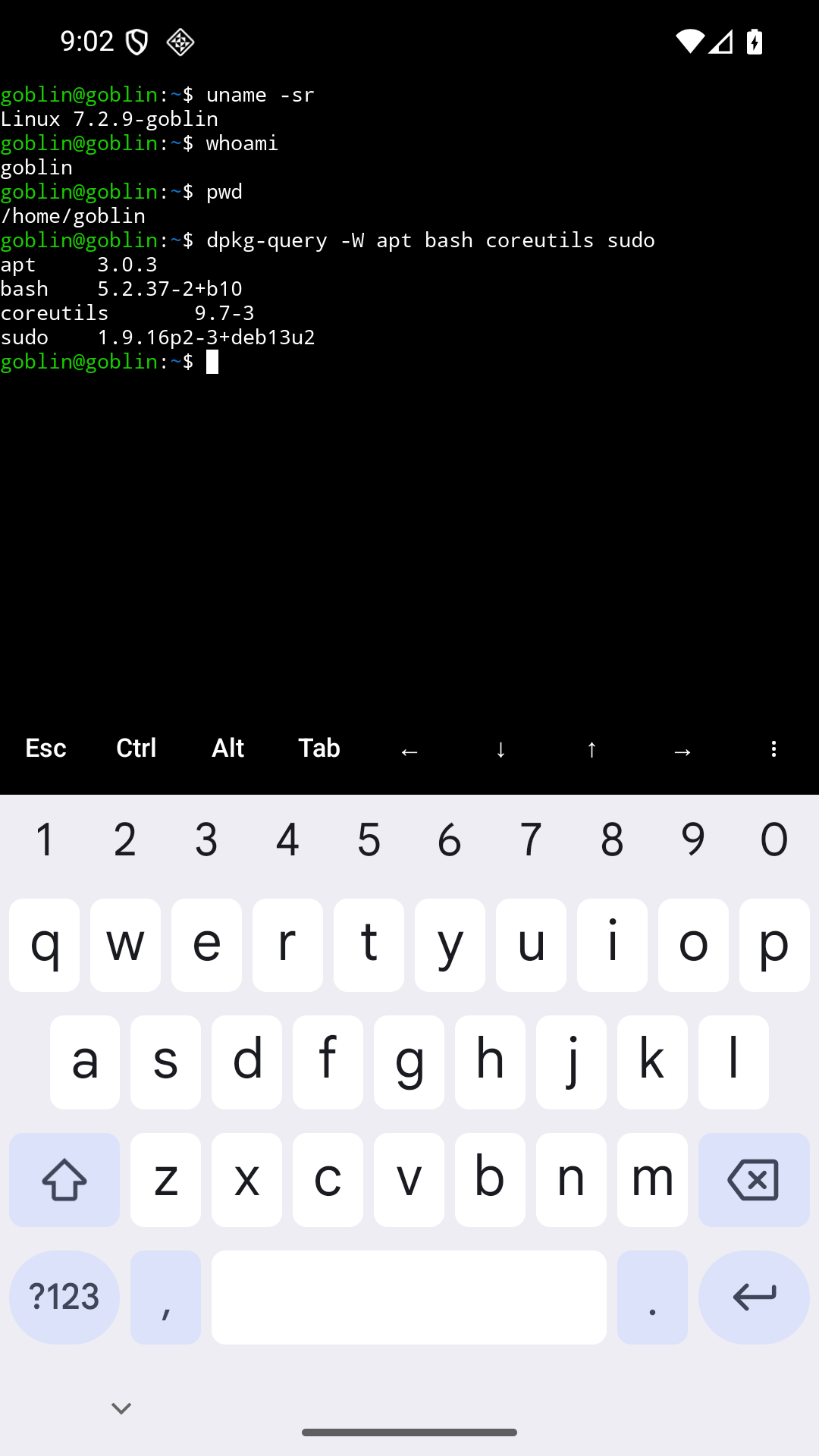
For a small first experiment:
sudo apt update
sudo apt install -y hello
hello
There is something satisfying about installing a program whose entire job is to say hello after putting an operating system on a phone.
Graphics in the terminal
GoblinReactor 0.3.8 renders Kitty graphics. Images can arrive inline, through files or temporary files in the guest, or through POSIX shared memory. File access uses the foreground process's guest permissions. Shared memory still involves copying image data across the boundary between the guest and Android.
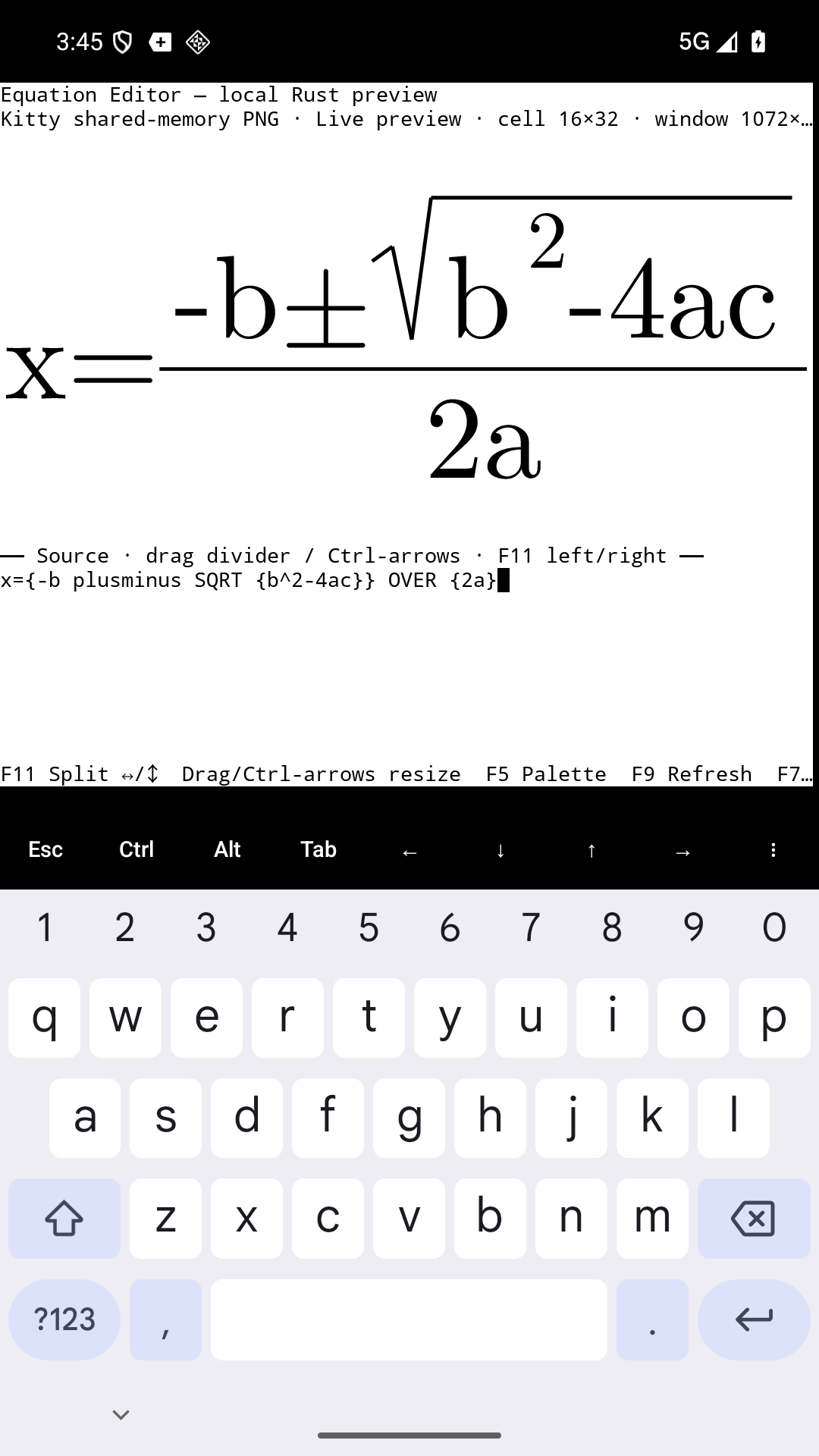
These screenshots show the Kitty graphics work included in 0.3.8, running on an Android 16 emulator. Both captures include the on-screen keyboard.
First, Goblin Purrfect editing the quadratic formula inside GoblinReactor. The equation editor selected Kitty shared-memory PNG automatically. Edit the source underneath the equation and the rendered preview follows along.
Then there is gnuplot 6.0.2, installed from Debian's gnuplot-nox package (6.0.2+dfsg1-1). This build includes kittycairo, which draws with Cairo and Pango and sends the result to the terminal using the Kitty graphics protocol. Here it is plotting sin(r)/r, where r = sqrt(x*x + y*y) and the value at the origin is 1.
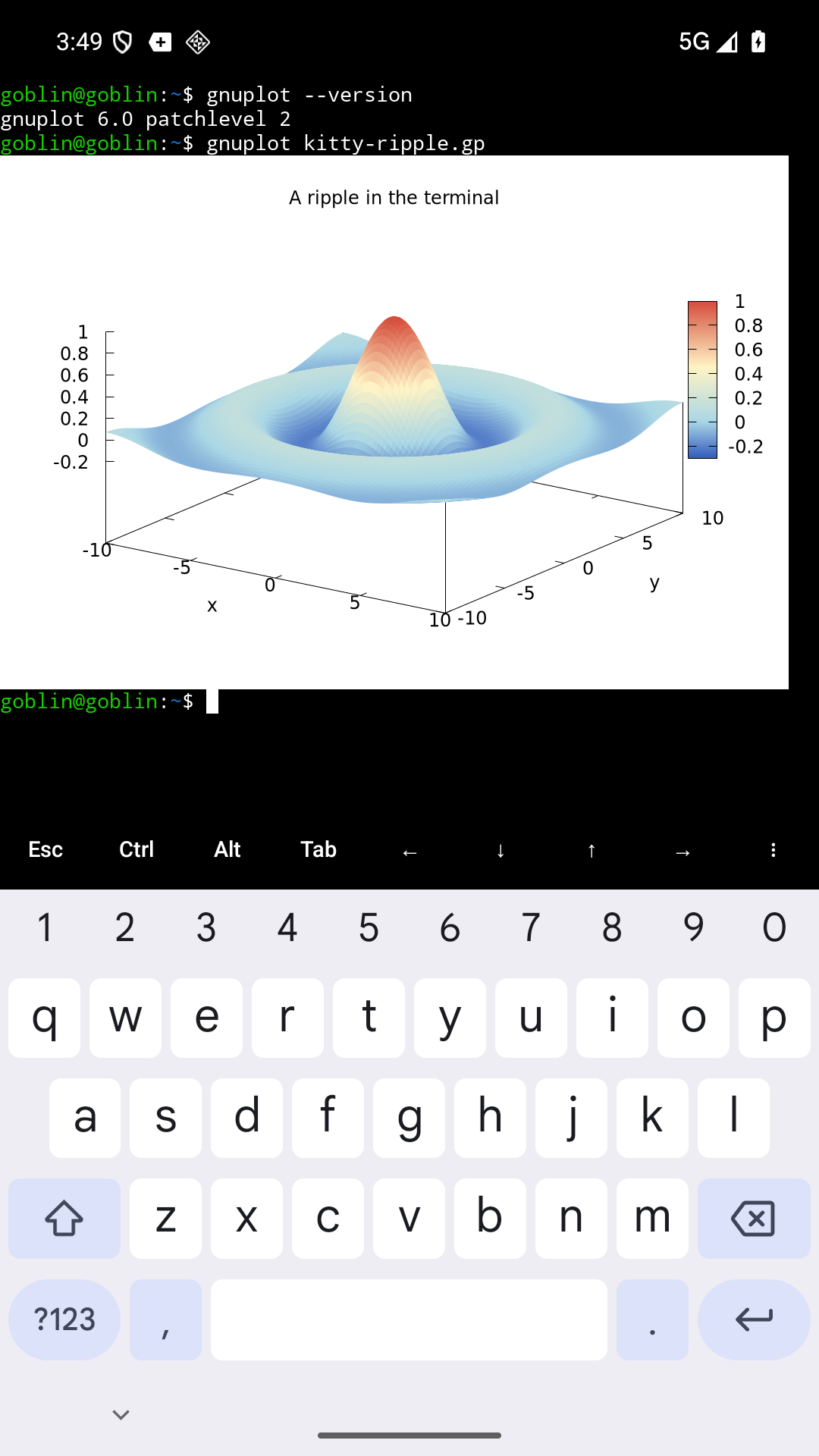
To repeat the plot in GoblinReactor 0.3.8, save the example script as kitty-ripple.gp, then run:
sudo apt install --no-install-recommends gnuplot-nox fonts-dejavu-core
gnuplot --version
gnuplot -e 'set terminal kittycairo; show terminal'
gnuplot kitty-ripple.gp
The script selects kittycairo, sets the image size, and draws the surface. This is an ordinary Debian package using the terminal's graphics support.
A Linux kernel running in userspace
GoblinReactor uses User-Mode Linux, or UML: a Linux kernel built to run as a userspace program. The preview is based on Linux 7.2.9, using zalexdev's ARM64 UML port, with separate patches for Android integration and parallel execution. That ARM64 port is an essential piece of this project.
ARM64 guest instructions execute natively in host processes. UML's seccomp backend intercepts guest system calls and hands them to the bundled kernel. Linux supplies process management, memory semantics, permissions, filesystems, sockets, and pseudo-terminals. Inside the guest, systemd runs as PID 1 and supervises services.
This gives ordinary packages a Linux kernel to talk to. It does mean there is overhead in system calls, scheduling, and moving between the guest and Android. Native instruction execution alone says little about how a particular workload will perform.
On the Android side, the kernel runs in an isolated service, with a separate service handling network sockets. Android's permissions and resource management still apply. Becoming root inside the guest gives you control of the guest; Android remains in charge of the phone.
The source repository has the architecture and build details. The download page also carries the corresponding source archive, build instructions, component notices, and checksums for the preview.
Terminals can close while services keep running
Closing a terminal ends that shell. Detached services can keep running even after all the terminals are closed. Use Shut down environment… when you want to stop the whole guest cleanly.
Keep environment awake controls the wake lock used for work with the screen off. That uses battery. Android can still stop the app under memory pressure, through a force-stop, or because of its background policies. Treat an abrupt stop like a machine losing power: files already written to disk and a running process are different kinds of persistence.
There is also an optional Start environment after reboot setting. It starts the environment after the first unlock, allowing enabled services to start again. It does not resurrect the processes that were running before the reboot.
Storage needs the same care. The guest disk is sparse and shares the phone's physical storage with everything else. Its apparent free space is no promise that Android has that much space left. Back up environment… exports a backup through Android's file picker. Keep that backup outside the app: uninstalling GoblinReactor or clearing its app data deletes the local environment.
What experimental means here
The installation target is Android 12 or newer with a 64-bit ARM64 Android system. A 64-bit processor running a 32-bit Android installation is insufficient. Android 10 and 11 remain experimental compatibility paths with limited validation.
The recent release checks cover Android 16 emulators, including a host with 16 KiB memory pages. The 0.3.6 runtime checks exercised package installation, networking, multiple terminals, backup and restore, update preservation, and concurrent work. The 0.3.7 checks covered the updated app around the same kernel and guest assets. Earlier builds also ran on a Samsung phone with Android 16 and an Android 12 emulator. The 0.3.7 validation notes describe that release's scope.
More physical devices, Android 13–15, and long runs on battery still need coverage. I expect bugs, including bugs involving the Android lifecycle and recovery after an interrupted session. For now, this is a place to try development work while keeping another copy of anything important.
Try the preview
Download GoblinReactor on your phone, open the APK, and allow installation from the browser or file manager if Android asks. Developer mode and ADB are unnecessary. First launch prepares the environment from bundled assets and can take several minutes. Installing additional packages needs a network connection.
Useful feedback is concrete: phone model, Android version, what you tried, and what happened. First launch, keyboard input, an editor you actually use, screen-off work, and a backup you can restore are good places to start. The app's Save diagnostics… command creates a local report you can review before sharing with a bug report.
Linux® is the registered trademark of Linus Torvalds in the U.S. and other countries.
GoblinReactor is independent of the Debian Project, which does not sponsor or endorse it. Debian is a registered trademark owned by Software in the Public Interest, Inc.